How to Check the Creation Date of Automatic Backups
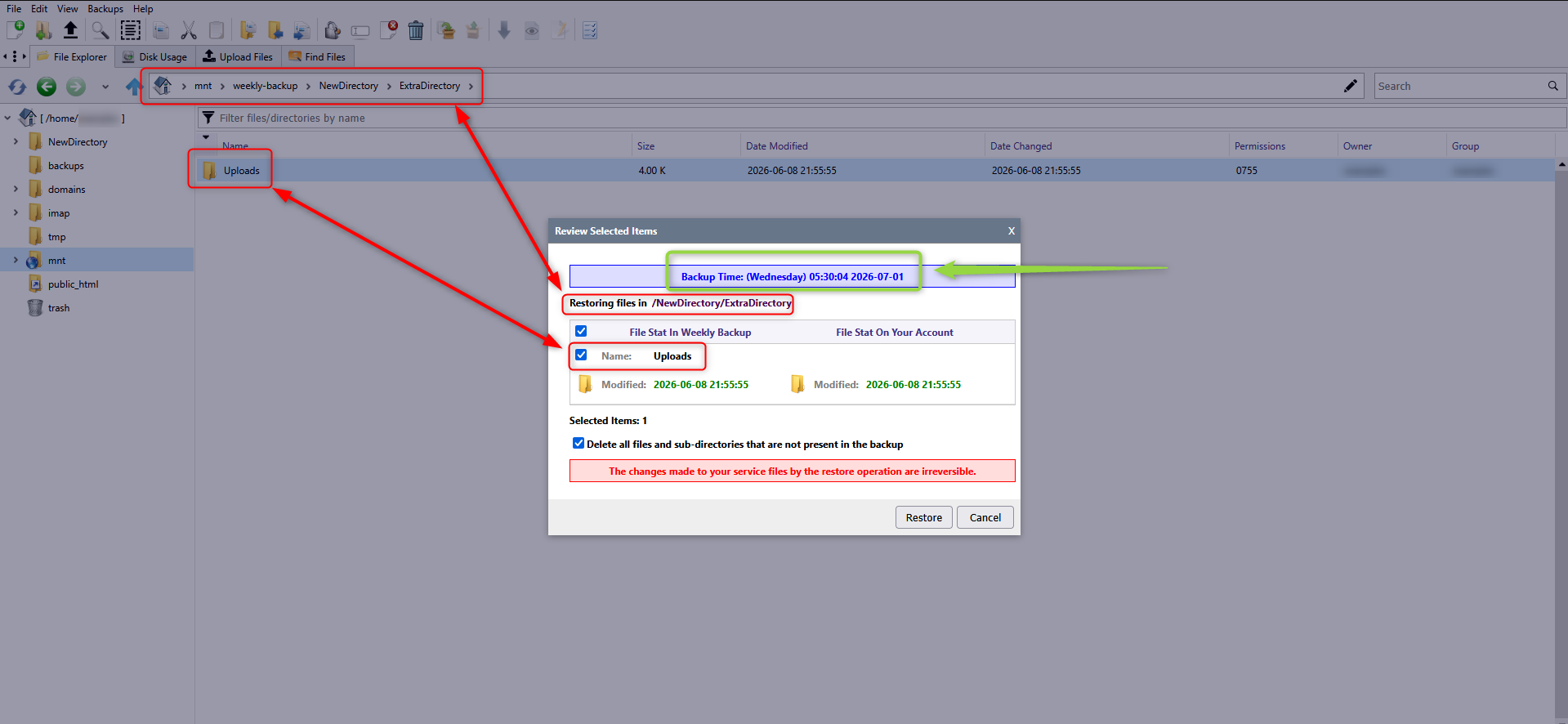
The only way to check the creation date of weekly backups is through the AXFilePro file manager.
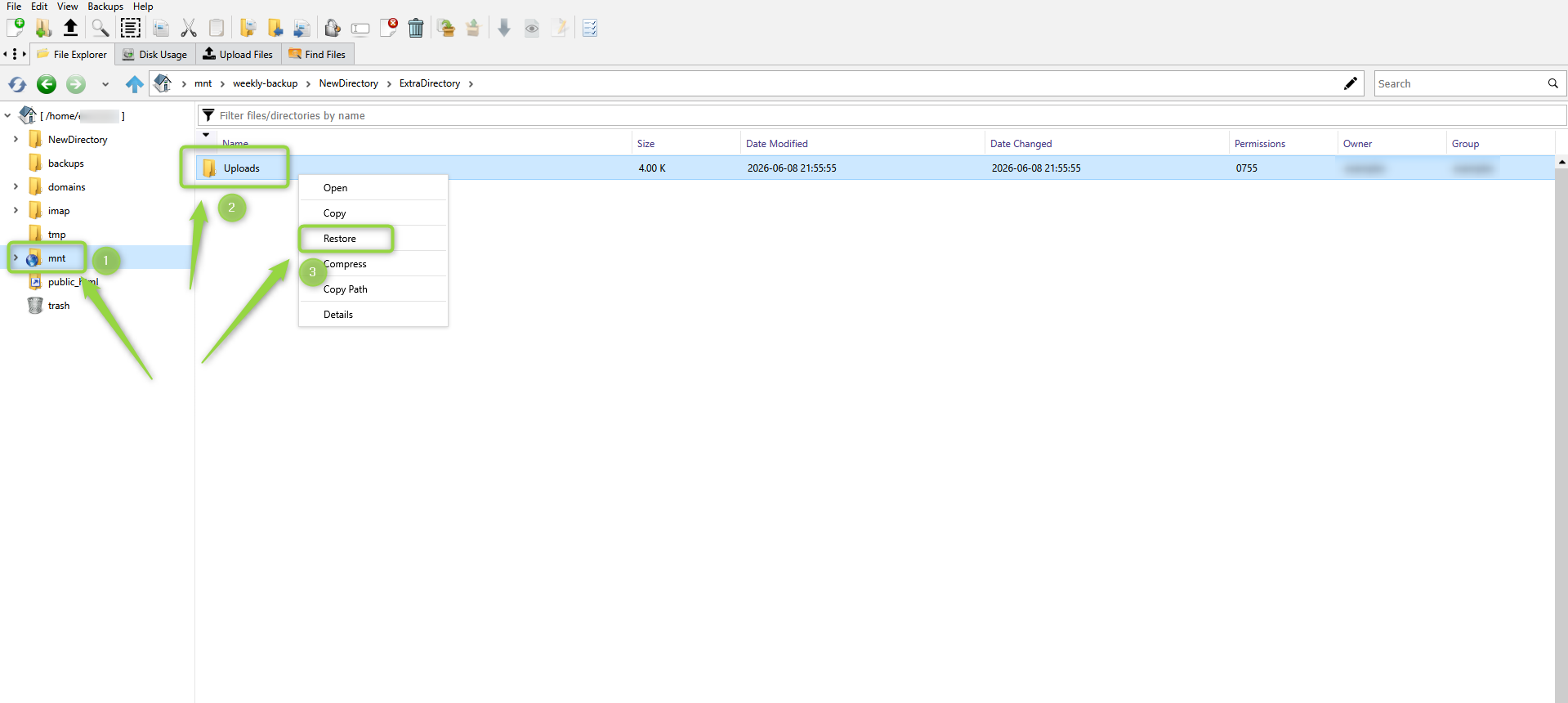
In AXFilePro, open the mnt directory and locate the file or directory you want to restore.
Right-click the item and select Restore.
A new window will open, displaying the backup creation date and the last modification date of the selected file or directory.