How to Block Spam Email Addresses
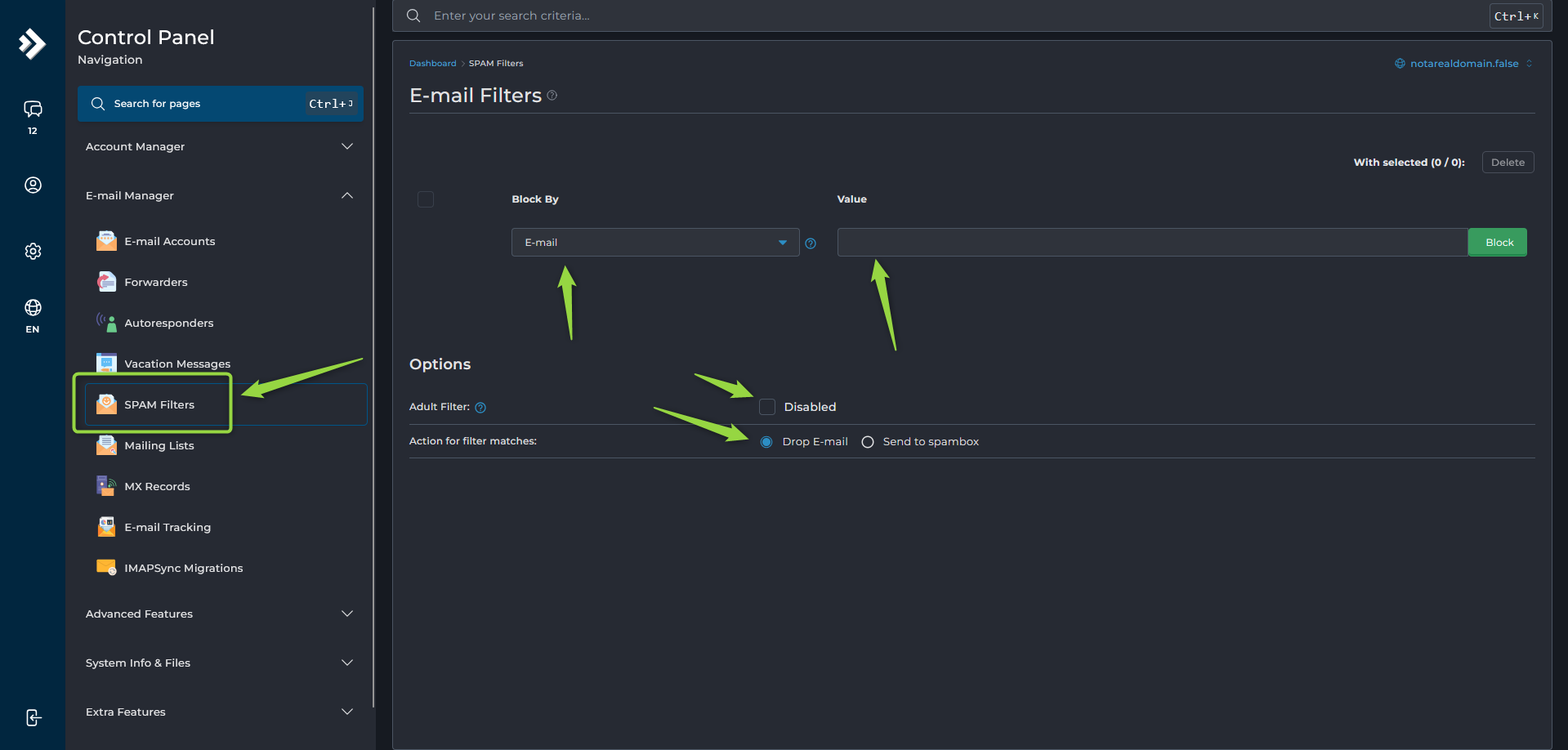
To manage spam filtering:
- Navigate to:
Email Manager --> Spam Filters
From this page, you can create rules to block:
- Specific email addresses
- Entire domains
- Words or phrases
- Messages based on size
You can also enable additional filtering options, such as the Adult Filter.
At the bottom of the page, choose what happens to detected spam:
- Deliver it to the Spam folder
- Reject or discard it automatically
Sending spam to the Spam folder is recommended to reduce the chance of losing legitimate messages due to false detections.