
How to Access Webmail Through a Subdomain
To configure webmail access through a subdomain:
- Create a subdomain using:
Account Manager --> Subdomain Management - Navigate to:
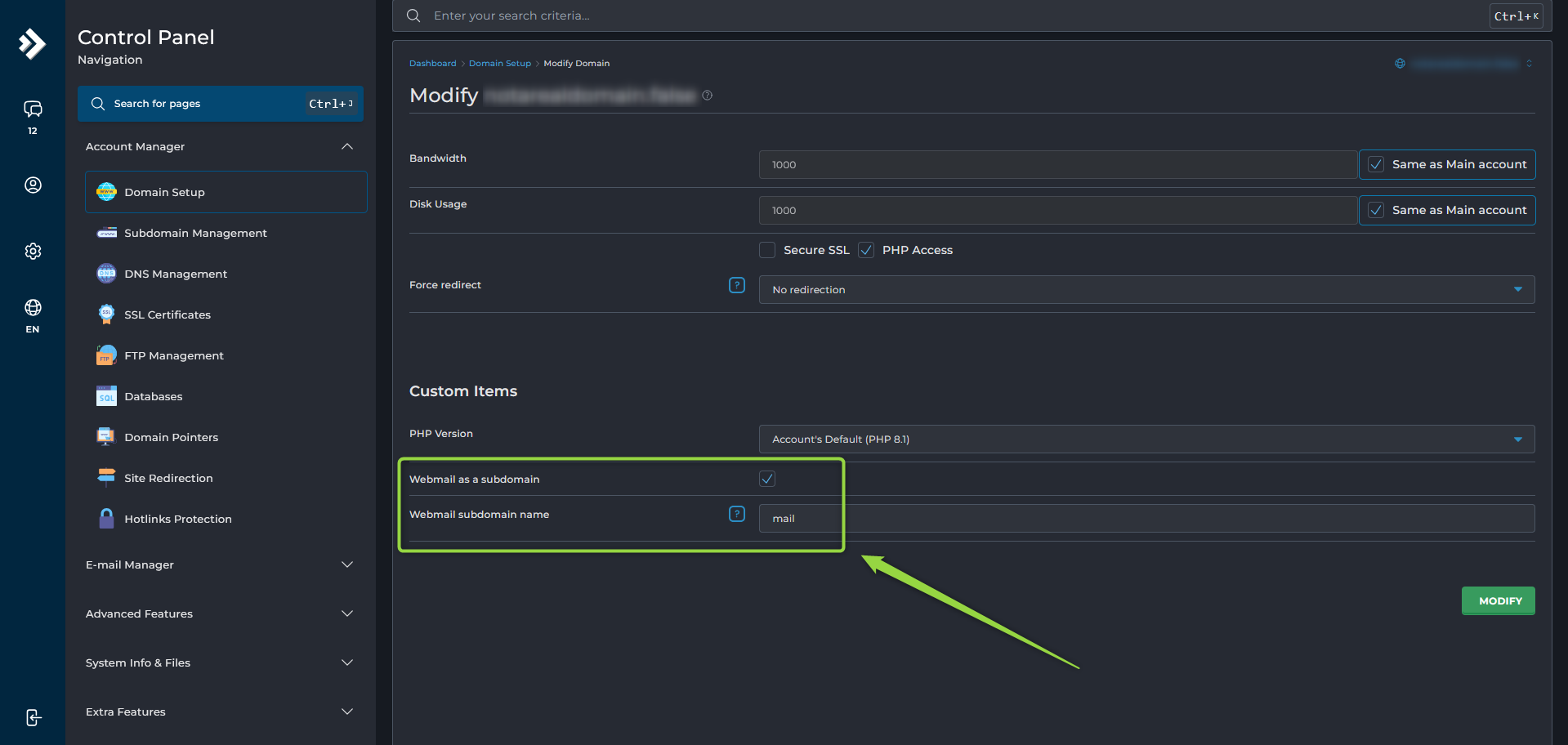
Account Manager --> Domain Setup - Select the domain.
- Scroll to Custom Items.
- Enable Webmail as a Subdomain.
- Enter the desired subdomain name in the Webmail subdomain name field.
- Click Modify.
Once the changes are applied, the subdomain will point to your webmail interface.
Note: DNS changes may take a few minutes to become active. If the subdomain does not work immediately, wait a short time and try again.
