How to Change DirectAdmin Skins
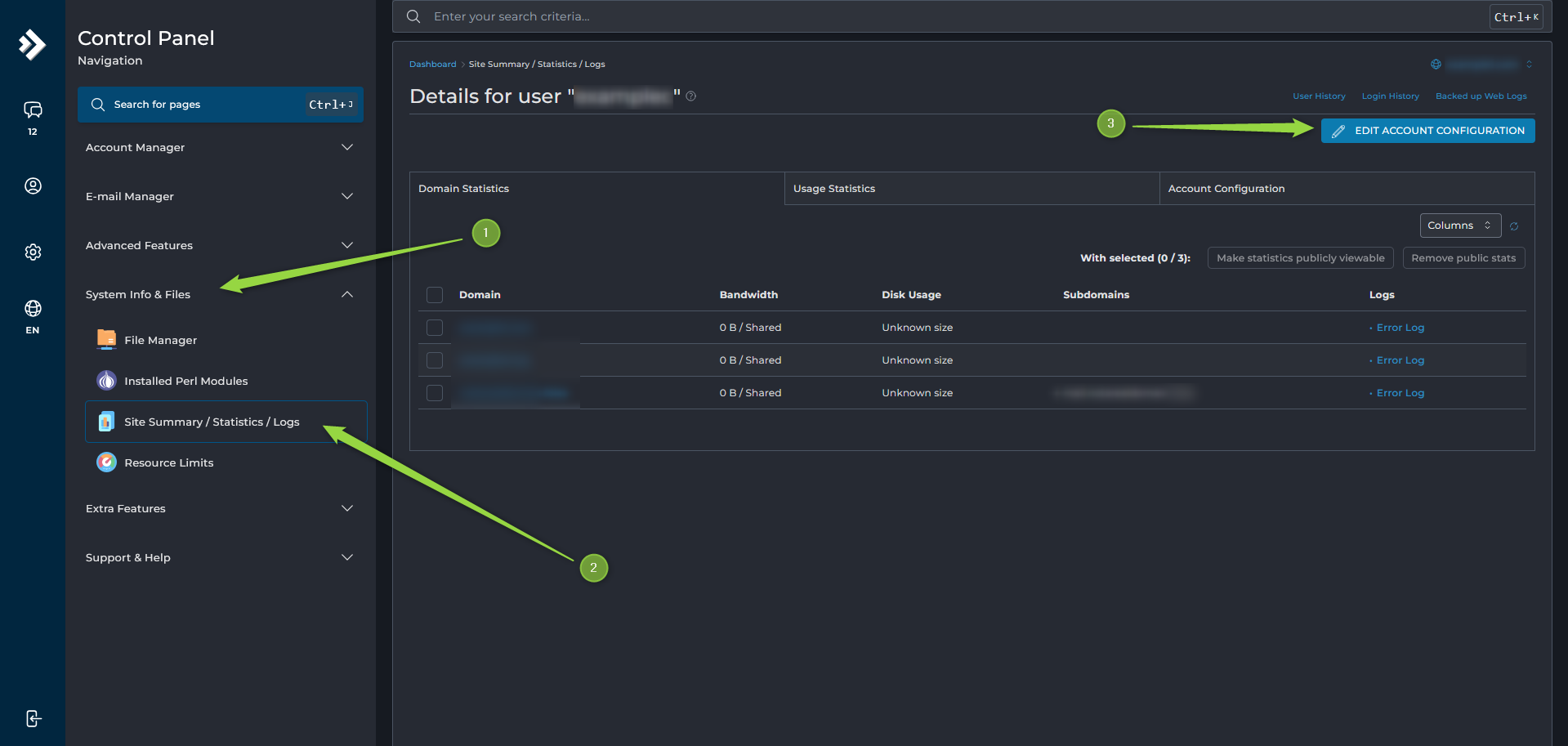
To change the DirectAdmin skin, navigate to:
System Info & Files --> Site Summary / Statistics / Logs --> Edit Account Configuration
From there, select your preferred DirectAdmin skin and save the changes.

To change the DirectAdmin skin, navigate to:
System Info & Files --> Site Summary / Statistics / Logs --> Edit Account Configuration
From there, select your preferred DirectAdmin skin and save the changes.
What Is AXFilePro? AXFilePro is AXSpace.com's enhanced file manager for DirectAdmin. It provides...
What Is WP Quick Fix? WP Quick Fix is an AXSpace-exclusive WordPress tool available through...
How to Restore an Automatic Backup Automatic backups can only be restored through AXFilePro. To...
How to Generate a Download Link Download links can only be generated for files located inside...
How to Create a Full Hosting Backup To create a full hosting backup: Open DirectAdmin....
